S1000D Authoring Tool with Native BREX Validation
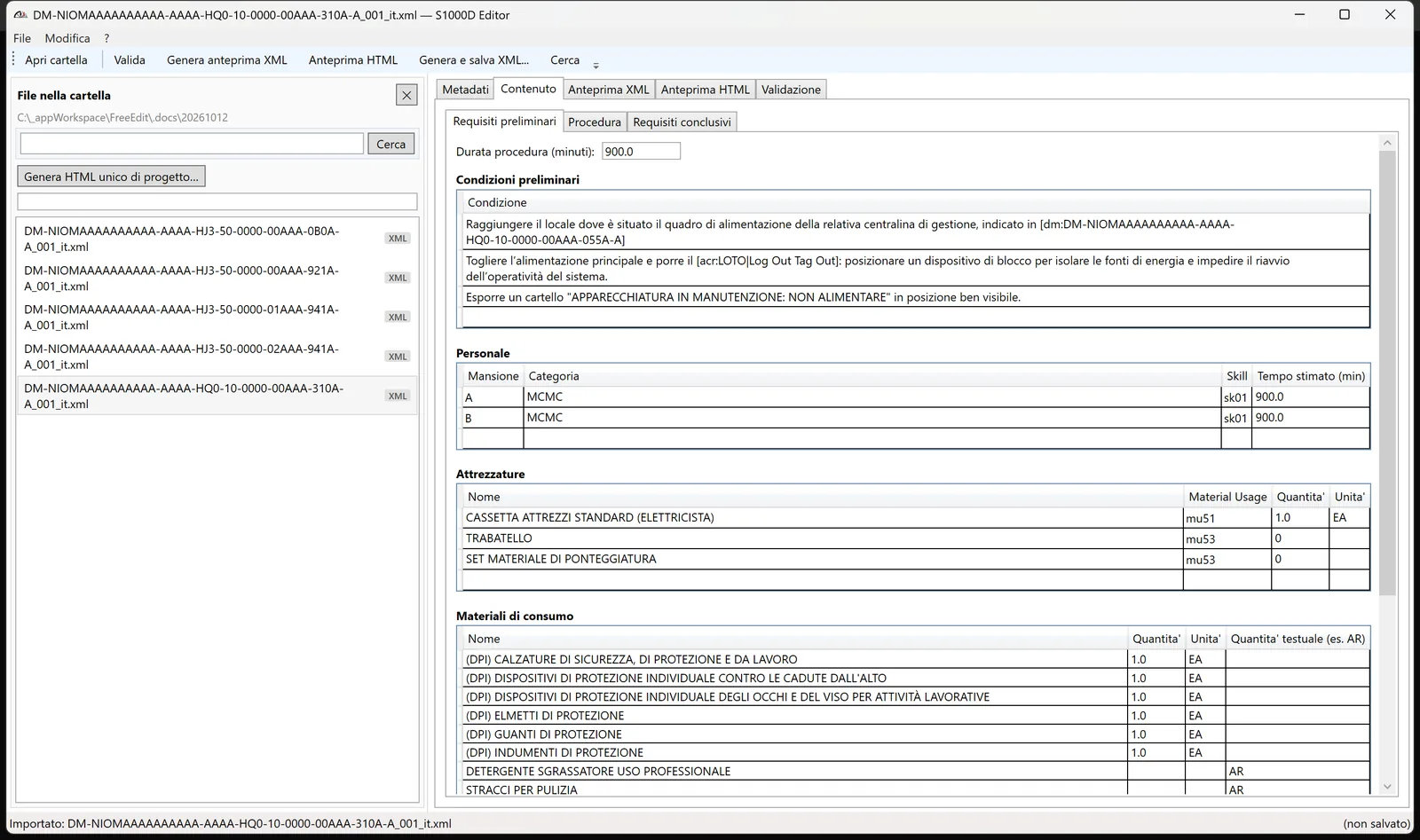
S1000D Editor is a desktop editor for S1000D 4.1 Data Modules and Publication Modules. Your technical writers fill in forms, not raw XML. S1000D Editor generates schema-compliant S1000D XML and checks it against your project BREX rules.
Built and proven on a real naval defense program: 307 production Data Modules, in daily use by technical writers.
Why S1000D Editor
Most S1000D authoring stacks share three problems. They are generic XML editors with S1000D bolted on. They are Word plugins that break on real-world structure. Or they are enterprise CSDB suites priced for prime contractors.
S1000D Editor sits in between. It is a dedicated S1000D editor, light enough to deploy in a day, and customizable to your program, your BREX and your industry.
Native BREX validation
structureObjectRule rules applied natively, not via an external Schematron pipeline.
Built on real data
Developed against a production corpus of 307 XML files from a naval program.
Adapted to you
Business rules, defaults, naming conventions and importers configured for your project.
Supported S1000D document types
Descriptive Data Modules
Paragraphs, numbered headings (1, 2, 2.1…), bulleted and numbered lists, tables, figures, warnings and notes.
Procedural Data Modules
Preliminary requirements, procedure with steps and sub-steps, closing requirements.
Publication Modules
The chapter structure of the publication, with references to the Data Modules.
Read-only viewing
Maintenance planning (maintPlanning) and illustrated parts catalog (illustratedPartsCatalog) open in the preview.
Features
Everything a technical writer needs to produce S1000D Data Modules, from metadata to the final XML ready for the CSDB.
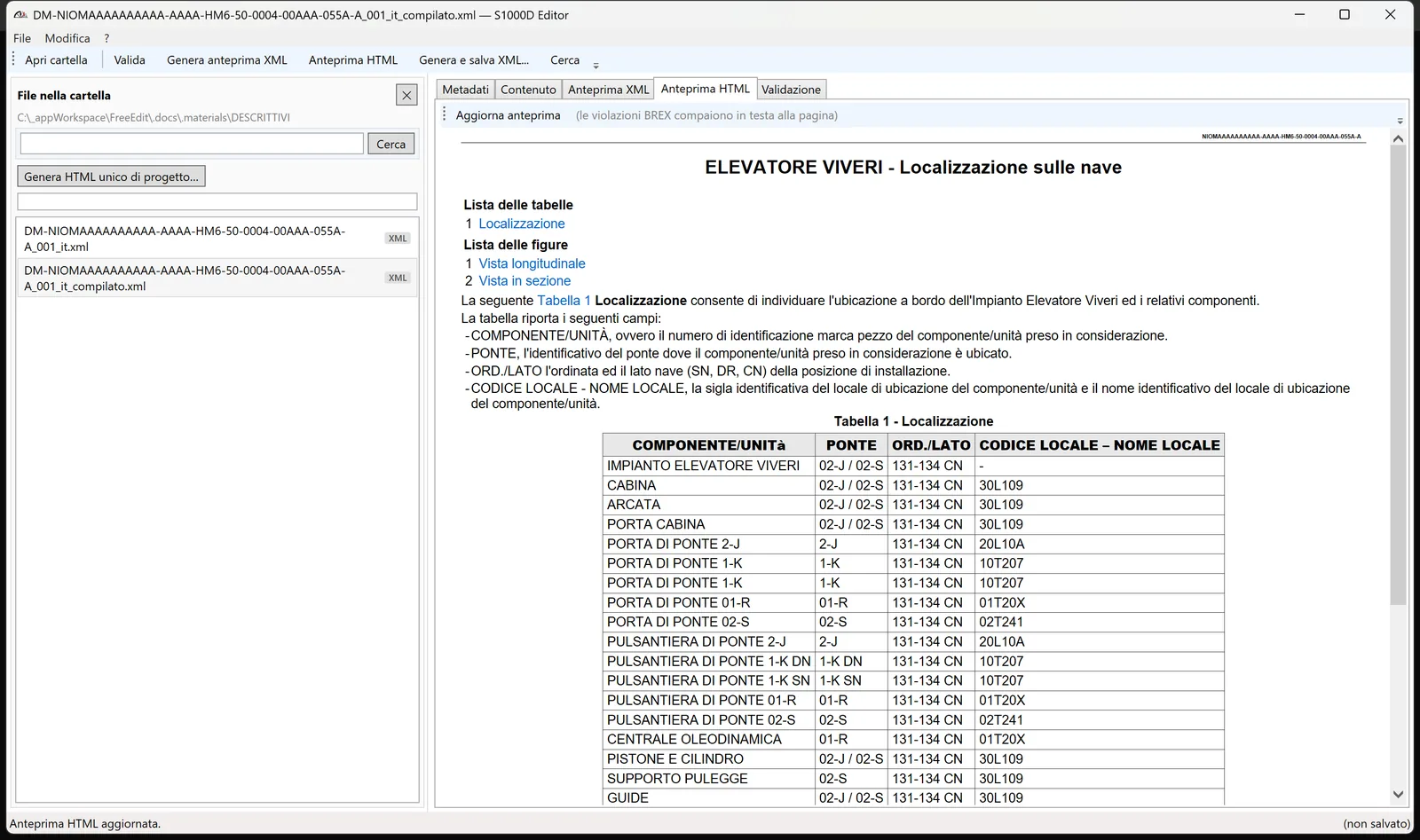
Available in English and Italian. The screenshots below show the Italian interface, with sample content from a naval program.
Work on the whole project
- Open the project folder and switch between Data Modules with one click
- Search across all project files, plus Ctrl+F inside the open document
- Import existing S1000D XML and keep editing it in the forms
- Save drafts at any time, even when the module is incomplete
- One HTML file for the whole project: every DM and PM, with an index, ordered by the PM chapters and cross-linked. Print it to PDF from the browser
Data Module metadata in one form
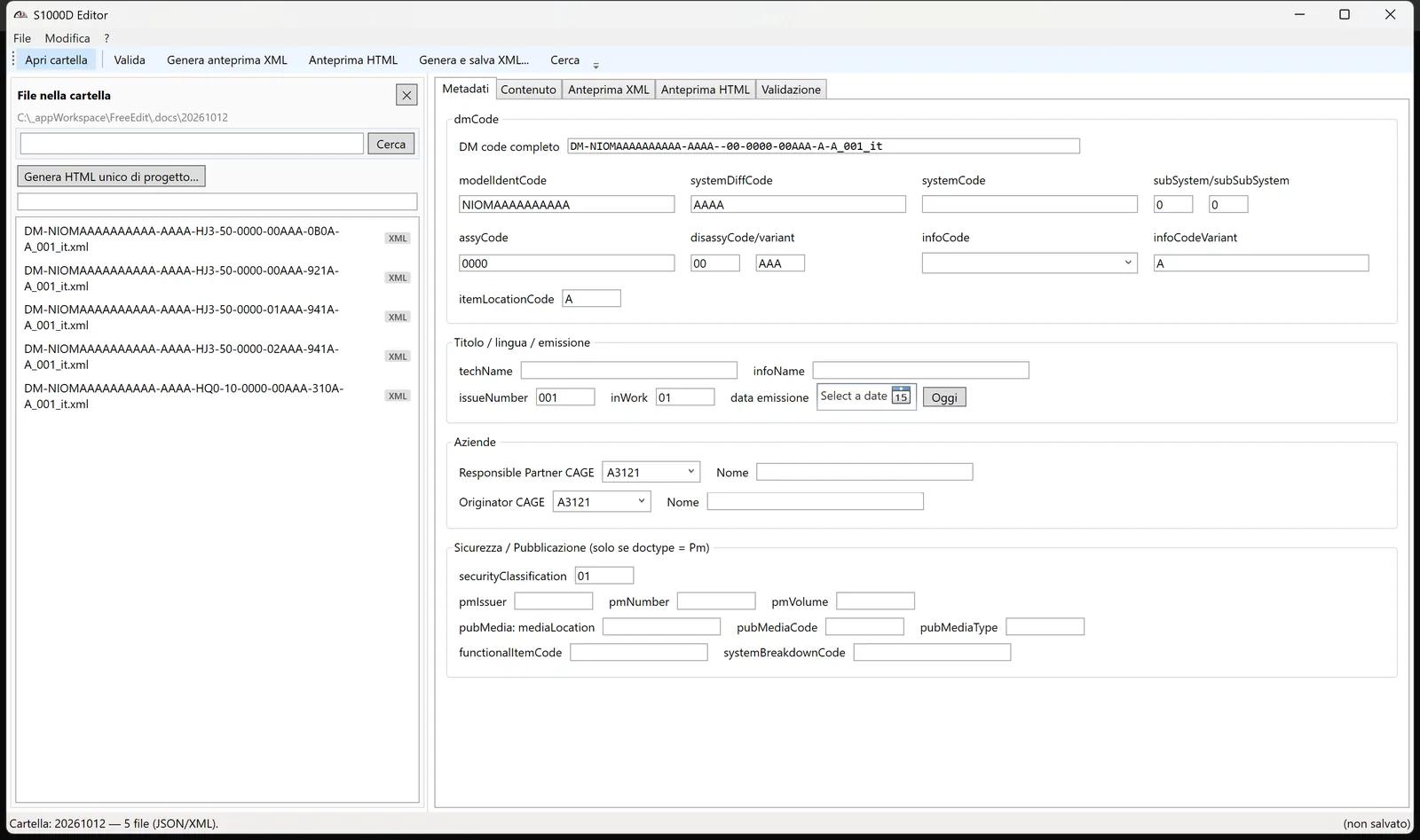
The full identification of the Data Module on a single screen: dmCode, title, language, issue, enterprises and security classification.
- Paste the complete DM code and every field fills in by itself
- "Today" button for the issue date
Procedural Data Modules
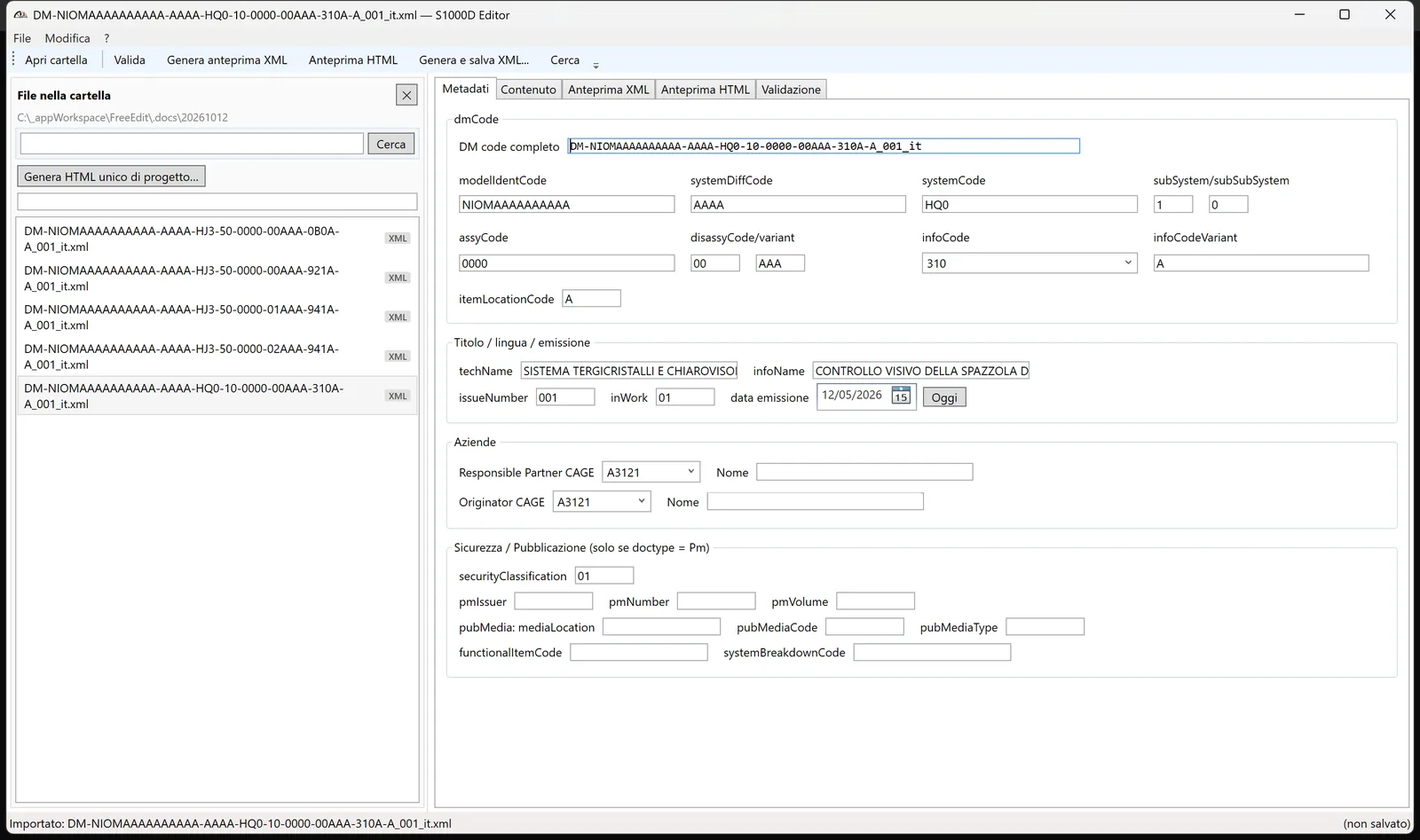
- Preliminary requirements in tables: conditions, personnel, support equipment, consumables, spare parts
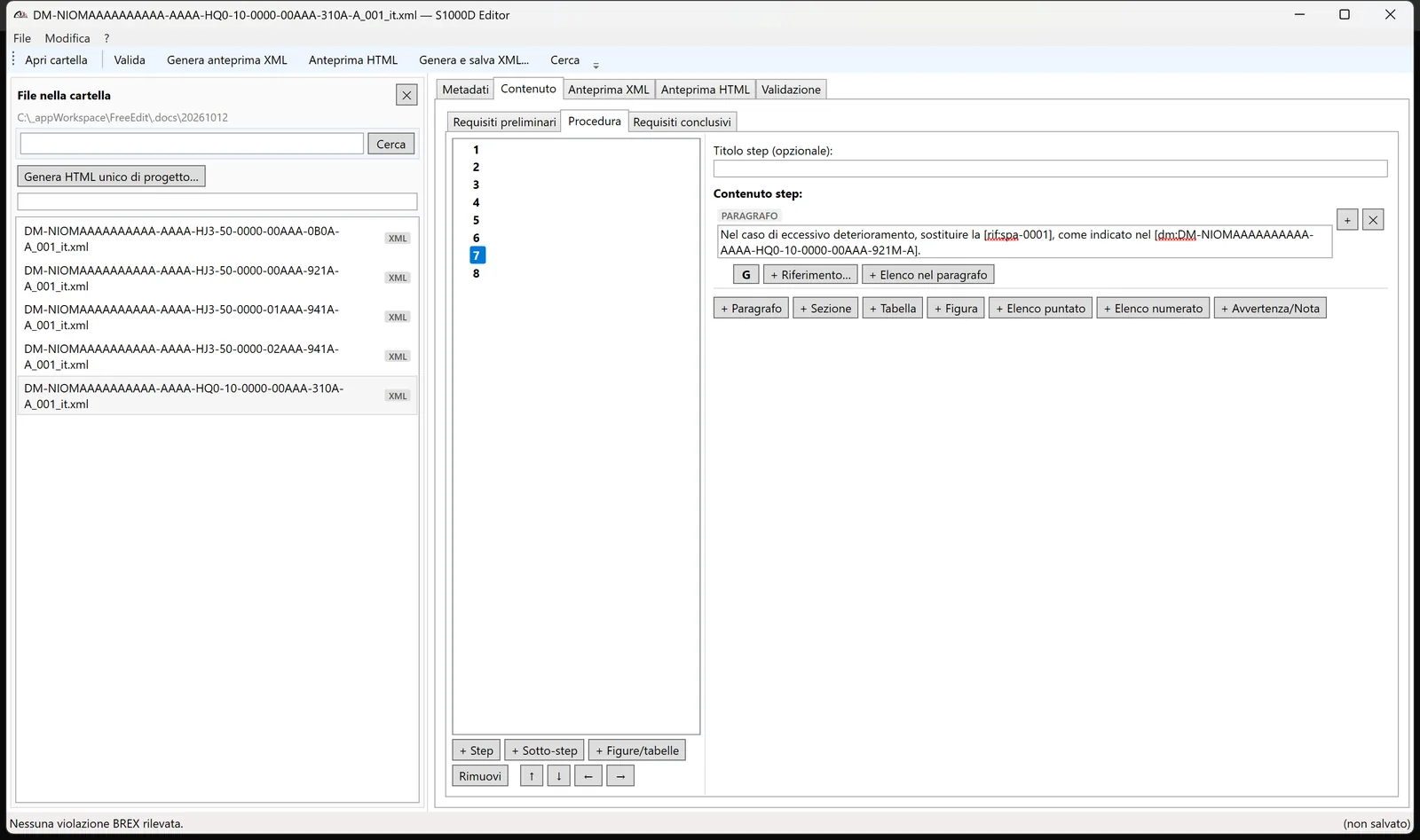
- Step tree with sub-steps. Move and indent steps with ↑ ↓ ← →, numbering updates automatically
- Figures and tables outside the steps, before, between or after them, as the schema allows
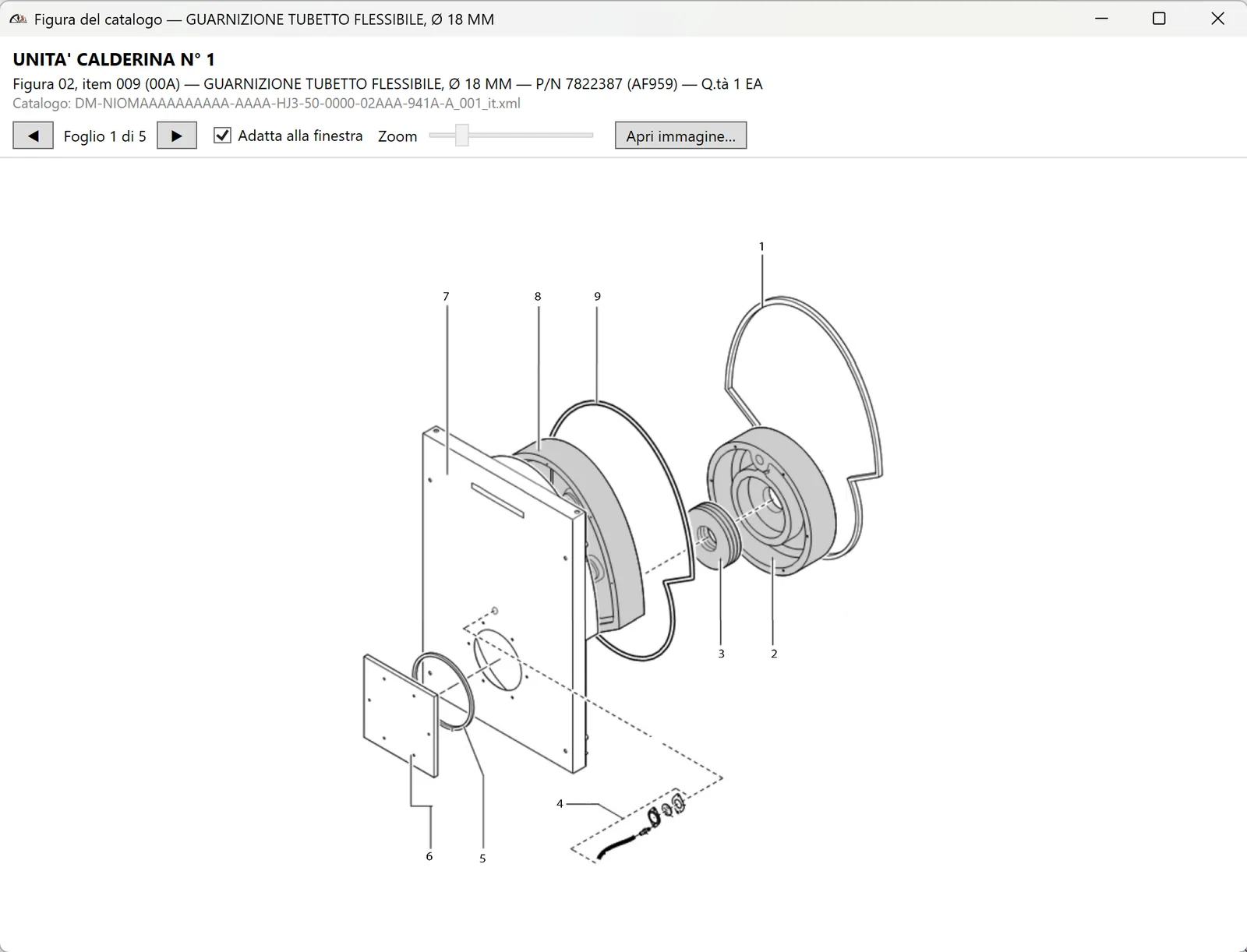
Spare part figure from the catalog
From a spare part row, open the catalog figure that contains it, with all sheets, zoom and the catalog line (part number, quantity) as confirmation.
Content as composable blocks
Paragraph, heading, table, figure, list, warning and note: descriptive content is built from blocks, not tags.
- References and links from the right-click menu on selected text: tables and figures of the document, other DMs, external PDFs, acronyms. Also inside table cells, conditions and warnings
- "Reference to create" placeholder: mark the spot now, complete it later. The validator reminds you
- Automatic numbering of tables and figures, aligned with page order. References in the text update by themselves
- Spell checker and automatic capitalization at the start of sentences
- Undo / Redo (Ctrl+Z / Ctrl+Y)
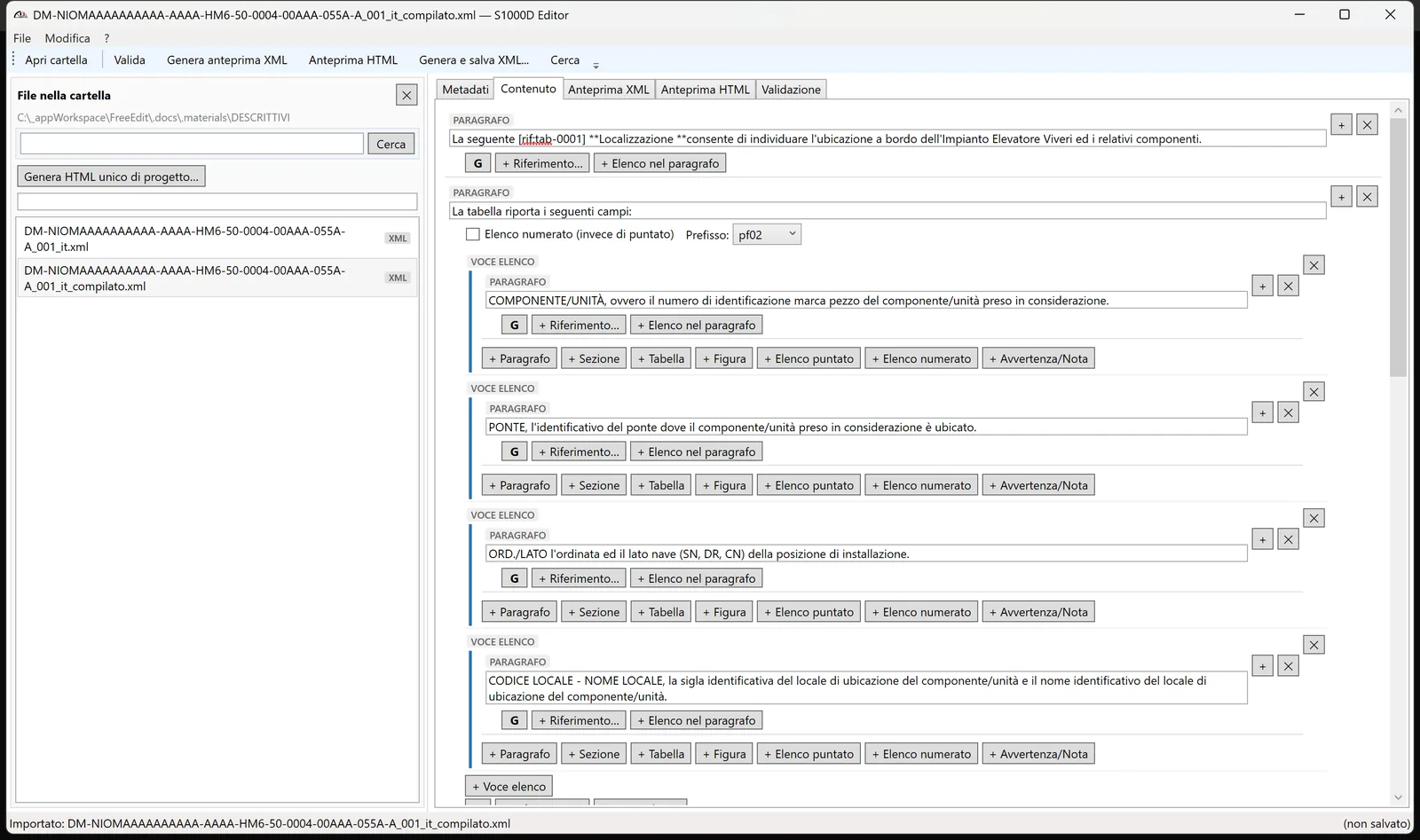
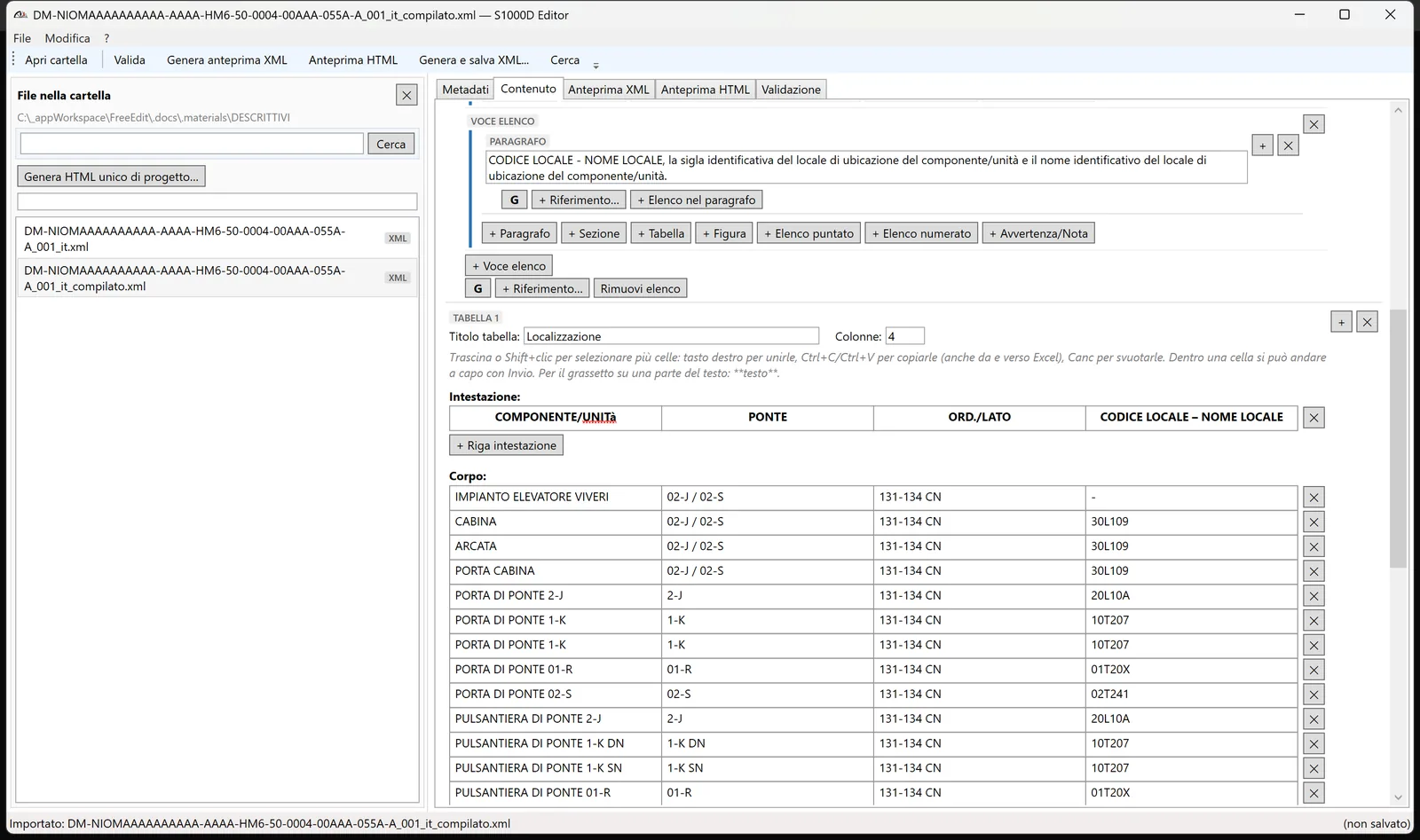
Table editor
- Select multiple cells by dragging or Shift+click. Merge, copy and paste cells, also to and from Excel
- Right-click a cell to insert rows above or below, columns left or right, or delete rows and columns, even with merged cells
- Line breaks inside a cell, row height that fits the text
- Separate header and body rows, bold on part of the text
Valid CALS table markup is written for you.
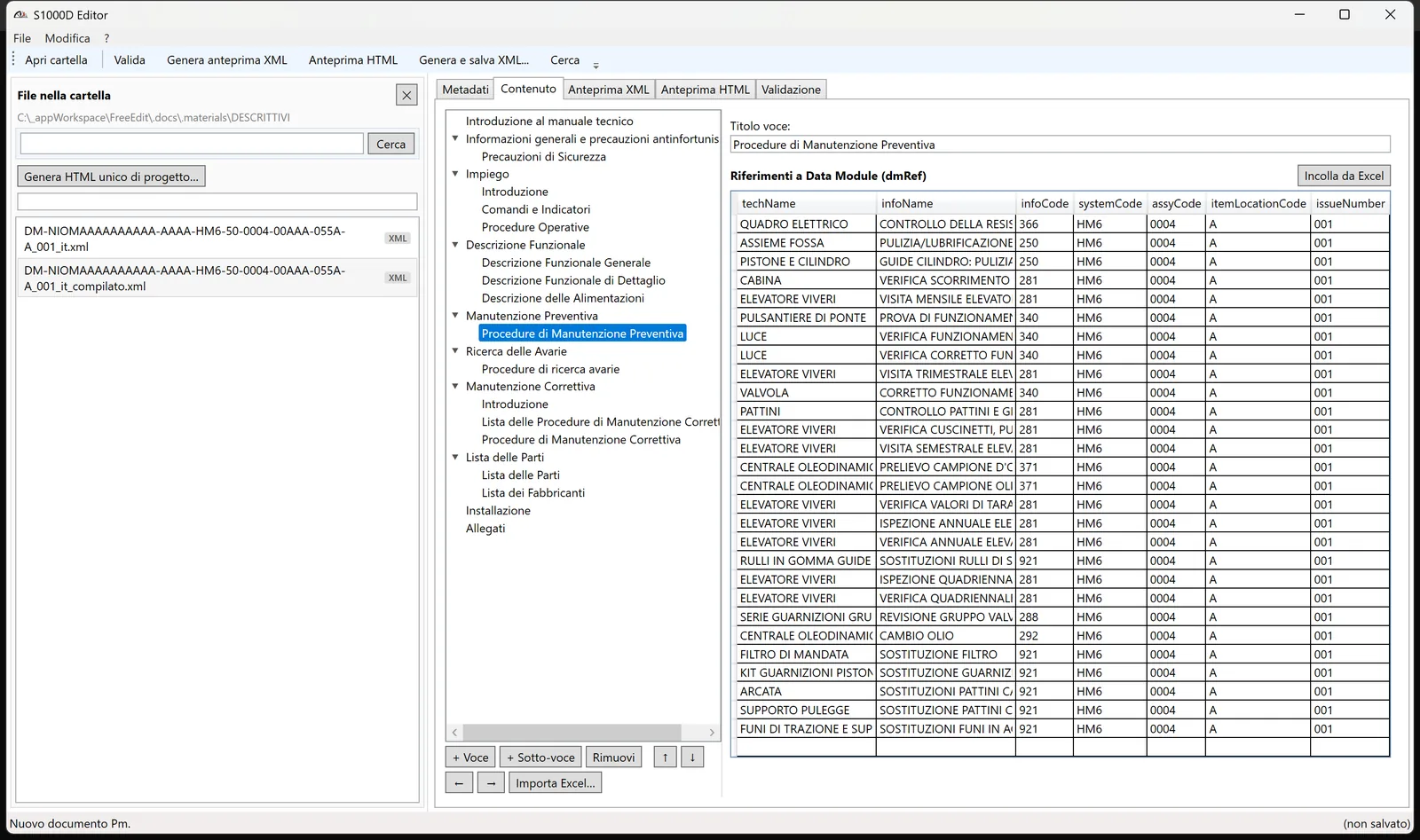
Publication Modules and Excel import
- Chapter tree with entries and sub-entries that you move and indent
- Import from Excel: chapters and Data Module references generated in one go from the technical publication list. Rows to complete by hand are flagged
- Paste DM references from Excel into an entry
- Applicability (
applic) editable in the PM
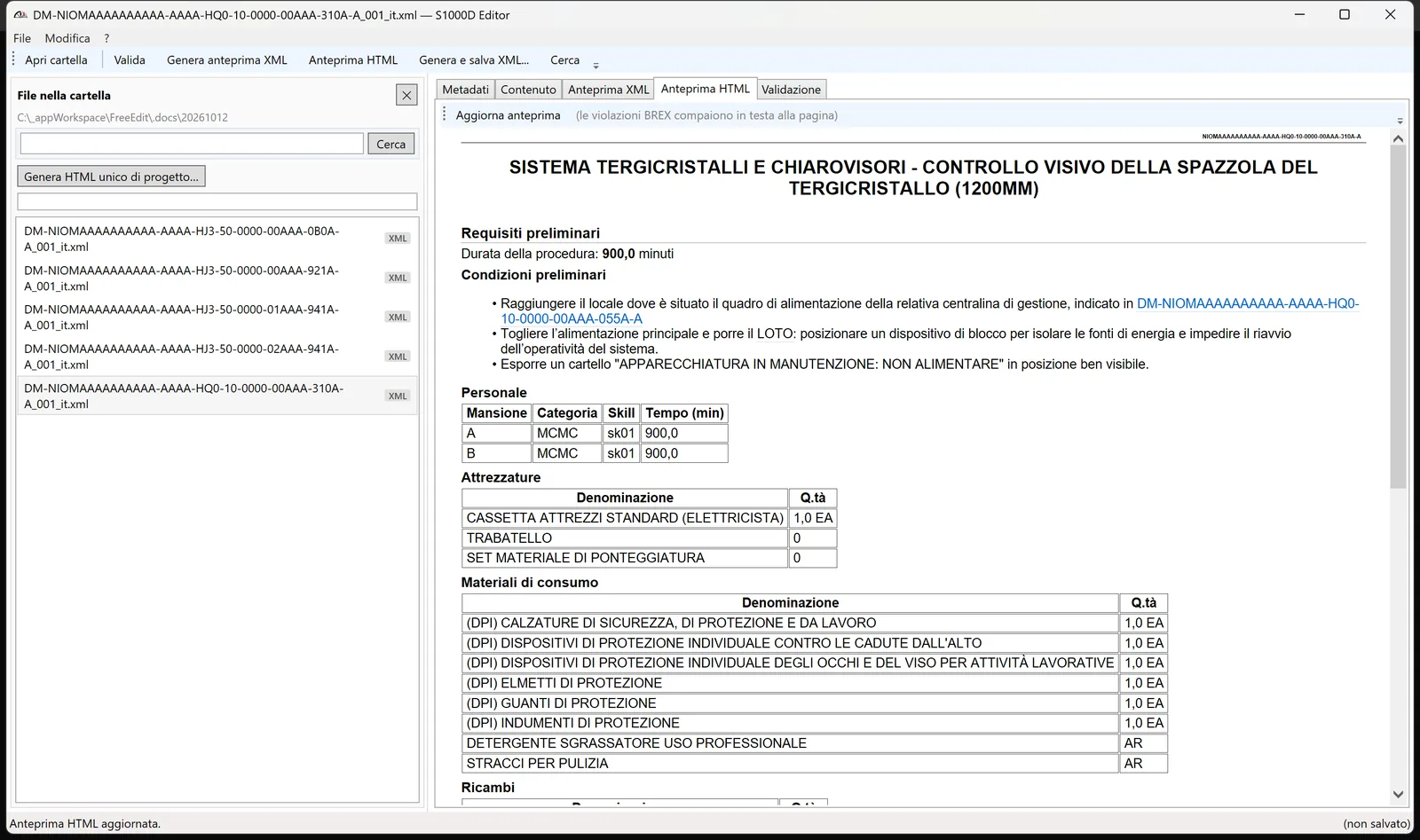
HTML preview with BREX validation
An HTML preview formatted like the manual, with lists of tables and figures and clickable links. BREX validation is built in: violations appear at the top of the preview and one click takes you to the exact point in the XML.
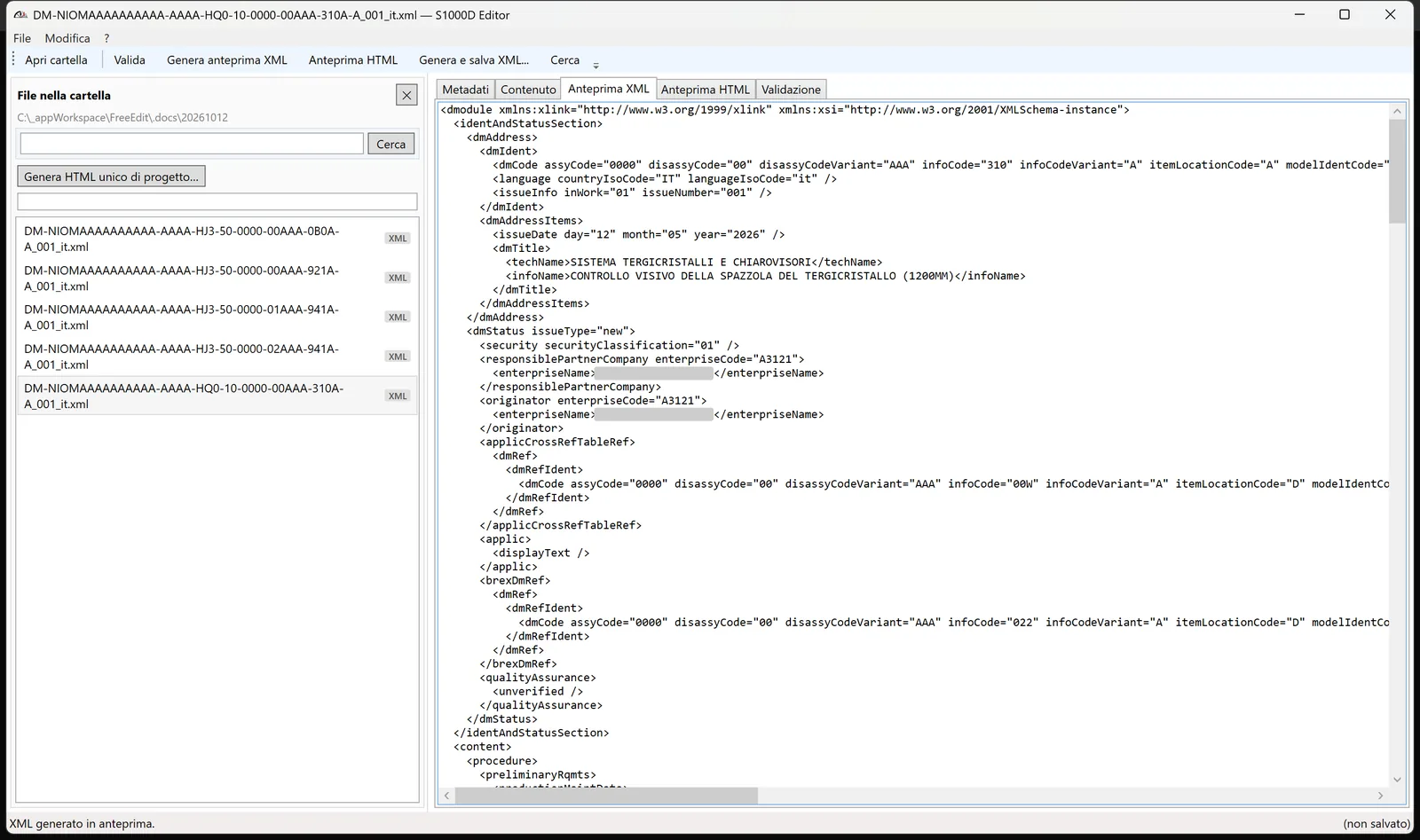
Clean S1000D XML, ready for the CSDB
See the generated XML at any time, then generate and save S1000D 4.1 XML ready for your CSDB and publishing chain.
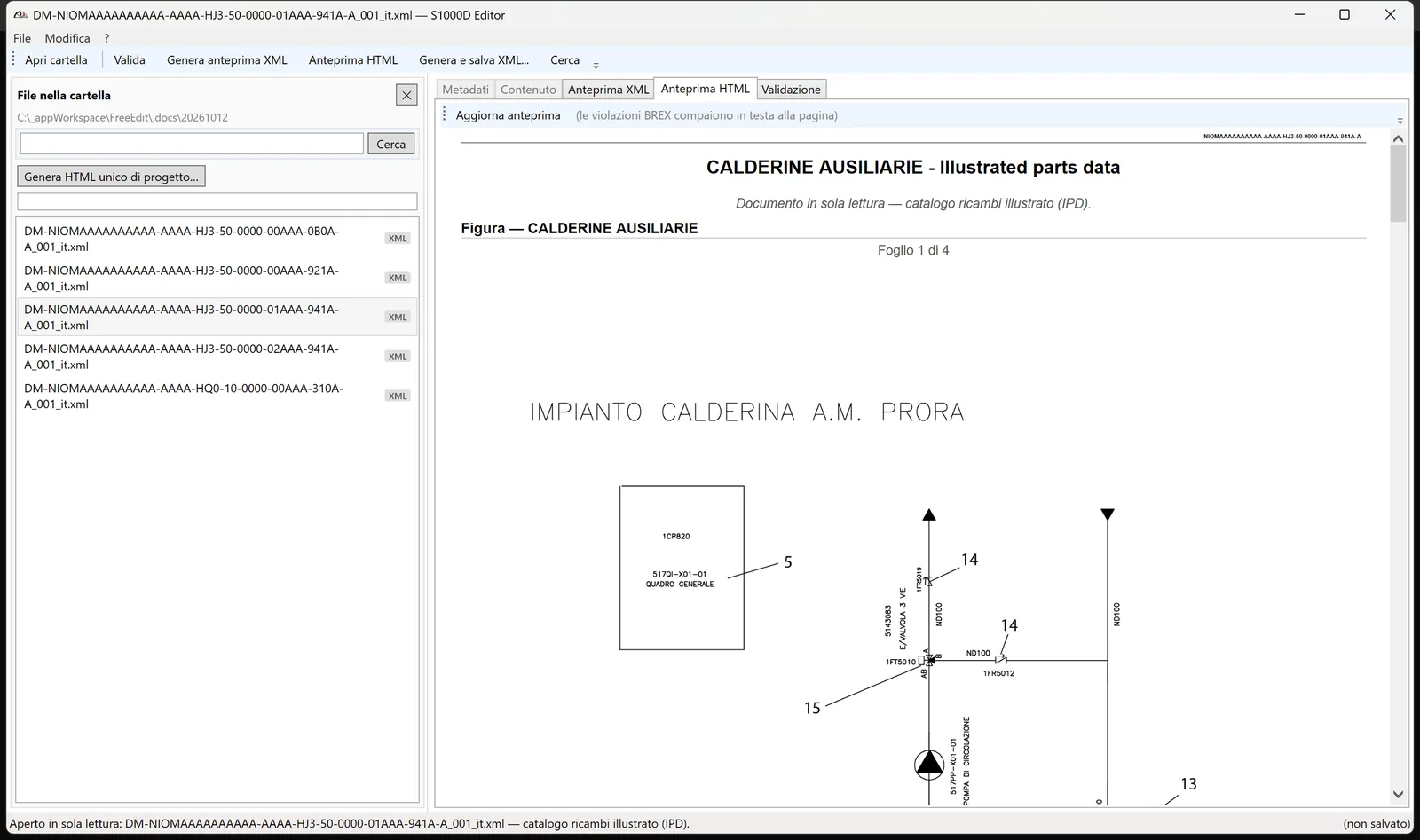
Illustrated parts catalog
Open illustratedPartsCatalog Data Modules read-only: the figure with all its sheets and the parts list.
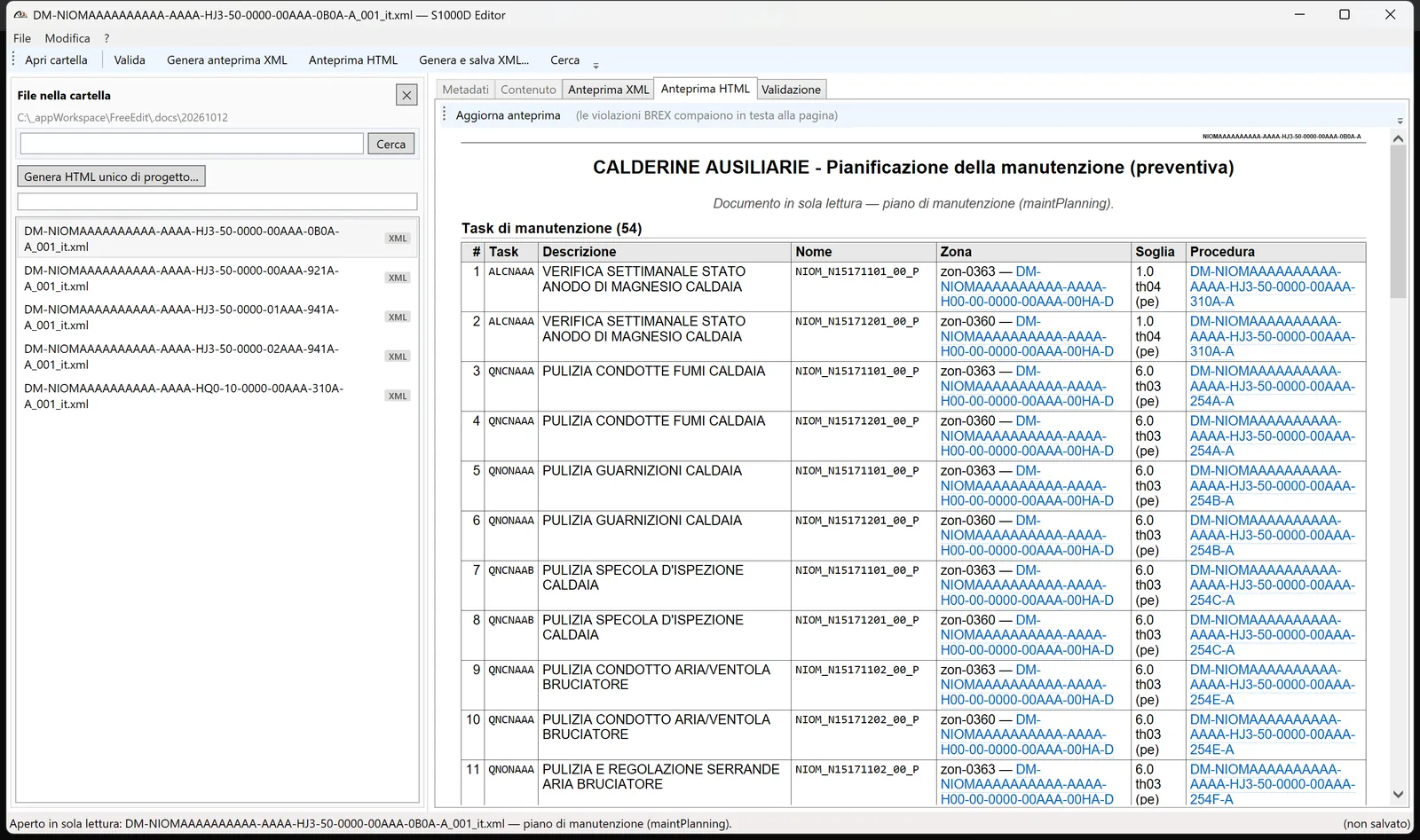
Maintenance planning
Open maintPlanning Data Modules read-only: the task table with thresholds, zones and linked procedures.
Reliable by design
- No sudden crashes: on an unexpected error a warning appears and the work in progress is saved to a recovery file
- Import and export of S1000D 4.1 XML with DOCTYPE and entity handling
Customizable for your industry
S1000D is one standard with many dialects. Every program has its own BREX, its own conventions and its own source data. S1000D Editor is built to be verticalized.
| What we adapt | Examples |
|---|---|
| Business rules | Your project BREX, enforced natively |
| Defaults and conventions | DM code naming, model identification, issue and language defaults |
| Importers | Excel, CSV or legacy formats mapped to your Data Module structure |
| Output | HTML preview styled to your publication standards |
| Workflow | Fields, checks and shortcuts for how your writers actually work |
Industries
- Naval and maritime
- Aerospace
- Land defense
- Rail
- Industrial machinery
Case study: naval defense program
S1000D Editor was developed for the technical documentation of a naval defense program. It was delivered in partnership with Free Edit Srl (Parma, Italy), an ISO 9001 technical documentation company.
Used by
FAQ
Which S1000D issue does S1000D Editor support?
S1000D Issue 4.1. Other issues on request.
Does it validate BREX?
Yes. BREX structureObjectRule rules are evaluated natively inside the editor, with violations shown in the preview.
Is it a CSDB?
No. S1000D Editor is an authoring tool. It produces standard S1000D XML that works with your existing CSDB and publishing chain.
Can it be adapted to our project?
Yes. Customization is the point: BREX, conventions, importers and output are configured per program.
Which languages is the interface available in?
English and Italian. The screenshots on this page show the Italian version.
What platform does it run on?
Windows desktop. It works offline, and your data stays on your machines.
Contact
Ask for a demo on your own Data Modules.